
Tutorial Category: Unreal Engine
This tutorial will cover setting custom thumbnails for your unreal engine custom asset type, asset colors, display names, and more. We assume you have created
You may encounter the following errors while developing in unreal engine. error: expected class name error: unknown type name ‘UInterface’ error: constructor initializer ‘Super’ (aka
While trying to sort a TArray in unreal engine you may come across a requirement to define a PREDICATE_CLASS& Predicate. In this tutorial, we will
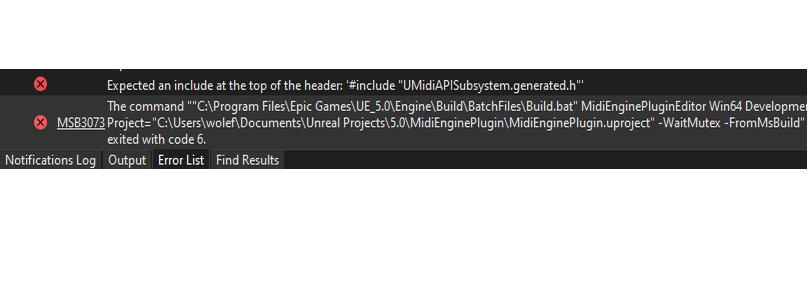
How to fix Unreal Engine Error: Expected an include at the top of the header: ‘#include “XXX.generated.h”. This is an error thrown by Unreal Build
TitleProperty is a UPROPERTY metadata option that improves how arrays of structs appear in the Details panel. It is commonly used when you have a
We are going to explain the Level Sequence Director Blueprint with the assumption that you understand what Delegates in C++ are, so if you don’t
As an Unreal Engine 5 user, you have access to powerful tools like Sequencer and UMG (Unreal Motion Graphics UI Designer). These features enable you
In Unreal Engine 5 , you can tick any c++ class object. It does not have to be UObject. Here is how you do it:
You may be wondering what’s the difference between UE5 Delegate Parameters and Payload Data as described in the Delegate documentation. Jump to the “Payload Data
The Material Editor unreal engine has a lot of useful nodes that can accomplish a lot on their own. However, for those who prefer a
In the realm of Unreal Engine 5 (UE5), working with data structures such as TMaps and TSets often requires a sound understanding of hashing and
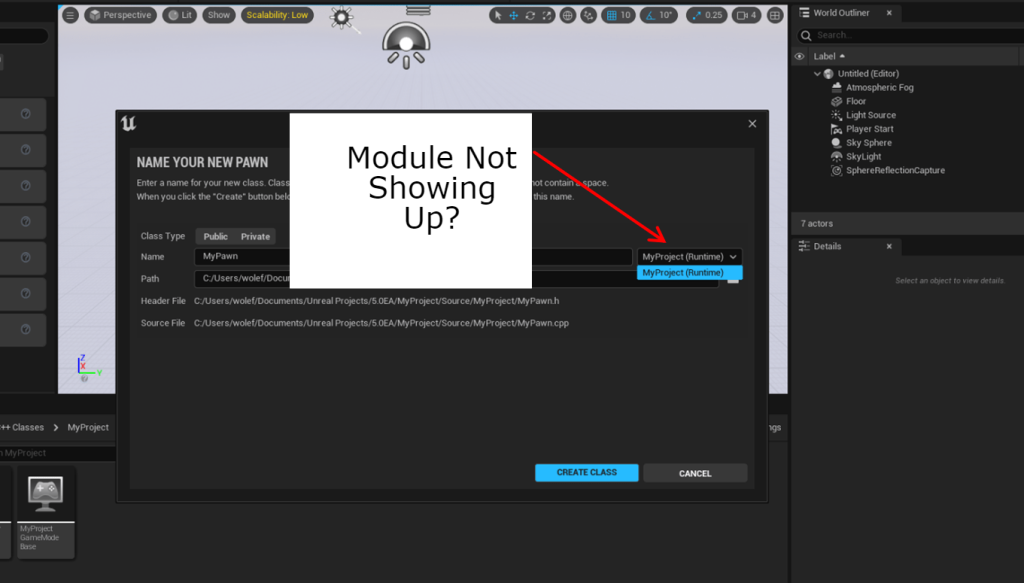
Missing module during the new c++ file creation in the Unreal Engine Editor. Here is how to fix it. Summarised Solution Add it to the