
Rhythm games · Music-reactive worlds · In-game music tools
Turn MIDI files into playable rhythm games, music-reactive worlds and in-game music editors in Unreal Engine 5, without building the timing, judging or music UI yourself.
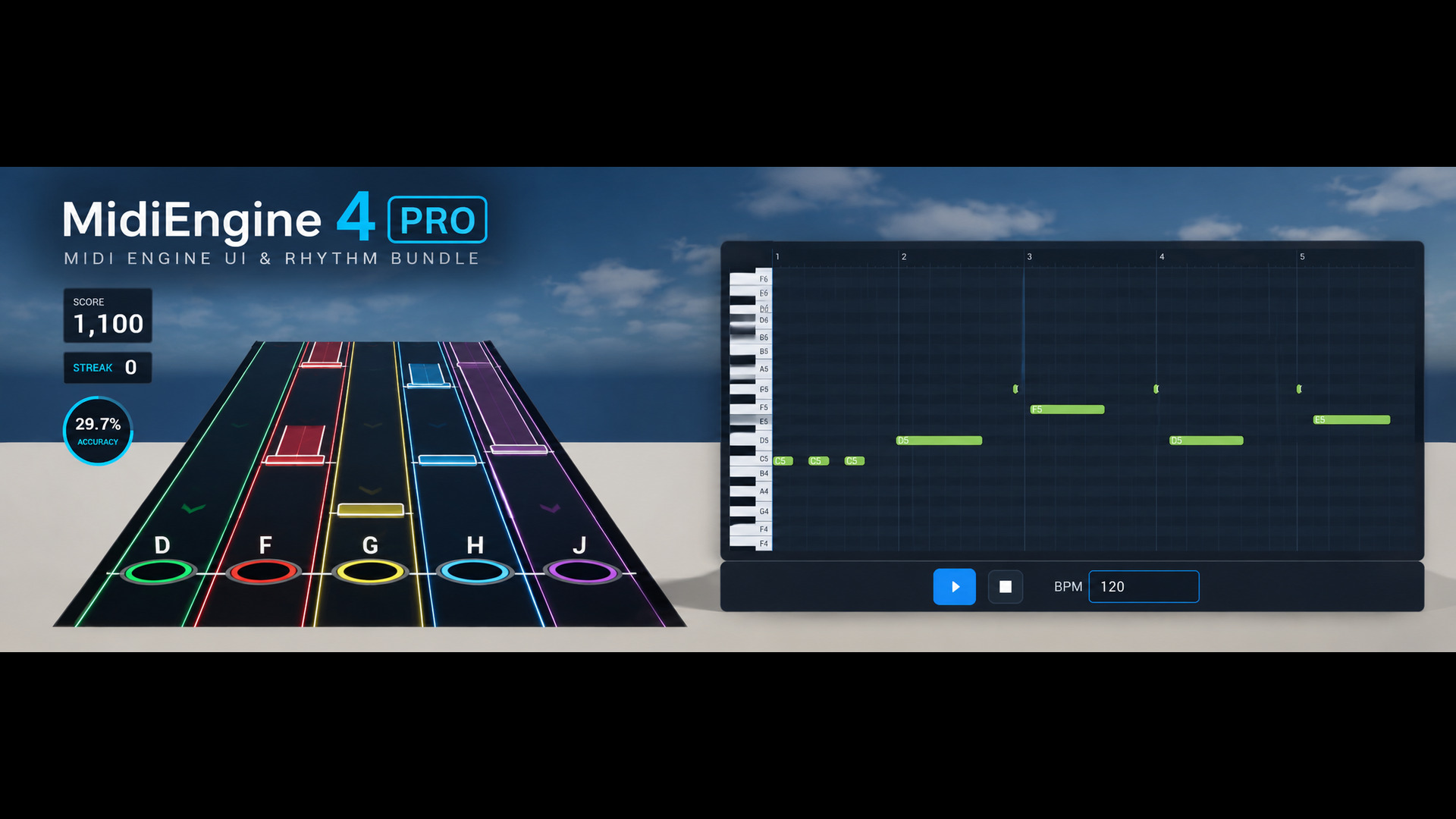
MidiEngine 4, with its complete 2D toolset.
MidiEngine 4 PRO is the complete package: the MidiEngine 4 backend that handles playback, timing and rhythm gameplay, plus the 2D side for UMG interfaces, piano rolls and in-editor chart editing.
Import a MIDI file, start from a playable template, and spend your time on what makes your game different.
Included in your purchase: MidiEngine 4, MidiEngine UI, UMG Musical Grids and UMG Piano Keys. Four plugins, one download.
Why MidiEngine 4 PRO
The hard part of a music game isn't the music.
It's everything around it: keeping notes in time with the song, reading input, deciding what counts as a hit, and building the tools to author it all. That's months of plumbing before anyone plays your game. MidiEngine 4 PRO has already built it.
Locked to the music, every frame
Notes follow the audio clock, not the frame rate. Hitches, pauses, seeks and loops don't knock your chart out of time.
Input, judging and scoring handled
Perfect, Great, Good and Miss, combos, hold notes, stray presses and accuracy are judged and scored for you. You just decide what happens on screen.
Fix charts without leaving Unreal
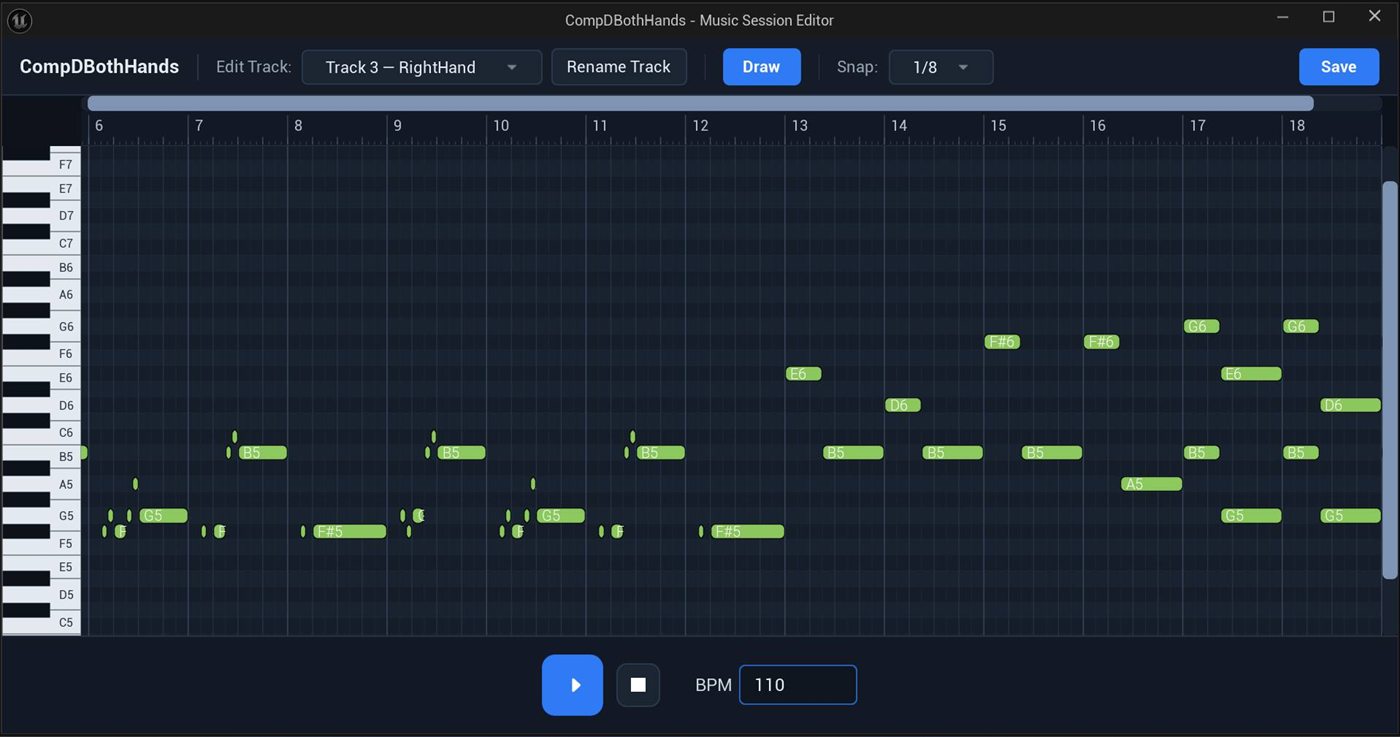
Open a song in the Music Session Editor, fix notes on a snapping piano roll, play it back and save. No trip back to your DAW for small changes.
Music widgets that just work
Piano rolls, beat grids, piano keys and play controls drop straight into UMG and follow the music automatically, with no wiring.
How fast is it?
From a MIDI file to a playable rhythm game in three steps.
01
Drop in your MIDI file
It becomes a playable song asset. Keep Easy, Medium and Hard charts in the same file and switch between them from a dropdown.
02
Place the note highway
Choose how many lanes, how wide and how long. The track, hit pads and lane colours rebuild live as you type.
03
Press Play
Notes arrive on the beat, keyboard or gamepad drive the lanes, and every press is judged, scored and shown on the HUD.
Two ready-to-play templates are included, so you start from a working game and make it yours.
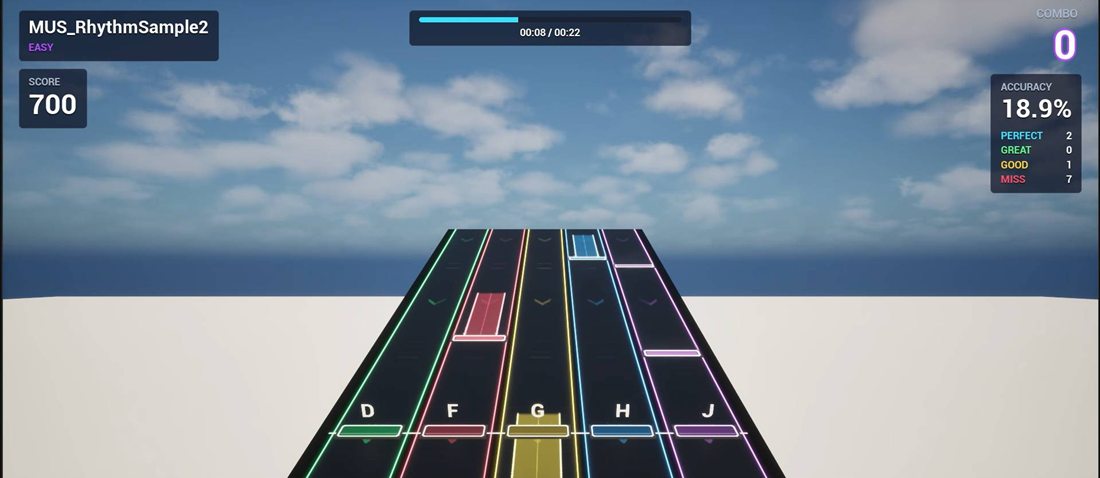
Default template
Neon lanes, glowing hit pads, hold notes and a full HUD with score, accuracy and combo.
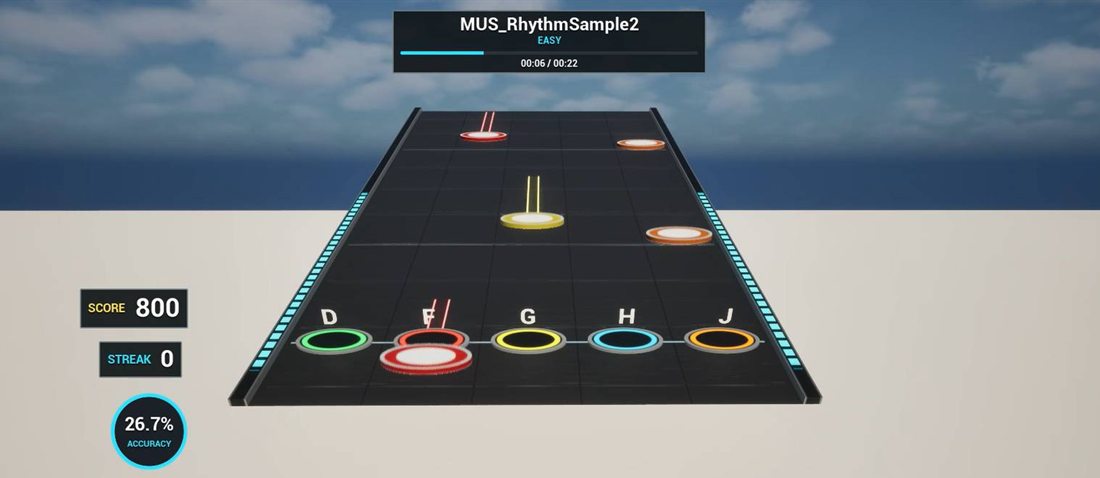
Stage template
A graphite stage deck with ring pads, puck notes, side rails and a compact score panel.
Got a look in mind? Send it to us.
Send us an image of the design you want and we'll help you build it with MidiEngine 4 PRO. The templates are only a starting point. The possibilities are endless.
Settings that save weeks
Tune the game, not the code.
The choices that normally mean rewriting a system are a single value in the Details panel. These are the real defaults you start with.
▾ Lanes
Lane layout in one number
Go from a 4-key mobile game to a 7-lane challenge by changing Lane Count. Width, spacing, track length and where the hit line sits update in the viewport instantly.
▾ Judge Settings
Forgiving or brutal, your call
Widen or tighten the hit windows, choose whether stray presses break the combo, and set the points. Windows are measured in time, so they feel equally fair at any tempo, and the offset lines timing up with the player's audio latency.
What you can make
One toolkit for every kind of music-driven project.
3D rhythm games
Note highways with taps, holds, combos and a full score HUD. Start from one of two playable templates.
2D and mobile rhythm games
A scrolling note highway with perspective, built entirely in UMG. Touch-friendly, with the same timing judge behind it.
Worlds that move to the music
Lights, animation and effects fire on the notes of a song. Look-ahead playheads let characters react before the beat lands.
In-game music editors
Give players piano rolls, beat grids and sequencers, and let them import their own MIDI files at runtime.
Piano visualizers and lessons
2D and 3D piano keys light up with the music, coloured per hand or per track. No Blueprint wiring needed.
Cinematics and music videos
Drive MIDI playback from Sequencer and scrub it like any other track, so visuals stay in time with the score.
Music Session Editor · PRO
Fix a chart in seconds, not a round trip to your DAW.
A note is late. A hold is too long. Normally that means opening the DAW, editing, exporting, reimporting and testing again. With PRO, right-click the song, choose Edit in Music Session Editor, fix it on the piano roll, press Play to hear it against the backing track, and save. Your levels and Blueprints keep pointing at the same asset.
Draw, move, resize and delete notes with the mouse
Snaps to the beat: 1/4, 1/8, triplets and finer
Plays inside the editor, with no need to launch the game
Saves back to the original asset, so nothing needs relinking
What's in the box
Already know MidiEngine 4? Here's what PRO adds.
MidiEngine 4 is the engine room, and it already includes the 3D rhythm game system. PRO adds the 2D side: everything you need for UMG interfaces, on-screen music editing and the Music Session Editor.
Included · The engine
MidiEngine 4
- MIDI import and sample-accurate playback
- Note events for gameplay, animation and VFX
- MetaSound instruments, with a free piano sound bank
- 3D rhythm game system and two templates
- 3D piano keys and Sequencer support
Included · The 2D side, only in PRO
MidiEngine UI, UMG Musical Grids and UMG Piano Keys
- Music Session Editor for editing songs and charts inside Unreal
- Ready-made piano roll and piano visualizer widgets
- 2D note highway with perspective for UMG rhythm games
- Beat and bar grids with snapping and playheads
- Interactive piano keyboards for any interface
- Runtime MIDI import button for player-supplied songs
Included in your purchase: MidiEngine 4, MidiEngine UI, UMG Musical Grids and UMG Piano Keys. One download contains all four plugins.
Already own some of these plugins? See Deals & Upgrades →Questions
Before you buy
Do I need to know C++?
No. Everything is exposed to Blueprint, and the included templates are playable without writing a line of code. The C++ API is there if you want it.
Which engine versions and platforms are supported?
Unreal Engine 5.7 and 5.8, on Windows, Mac, Linux, Android and iOS.
Can I use my own art and style?
Yes. Notes, highways and HUDs are regular Blueprints and widgets, and the templates are a starting point, not a look you're locked into. Have a specific style in mind? Send us an image of your design and we'll help you build it.
Which controls can players use?
Keyboard and gamepad through Enhanced Input, with several keys per lane if you like. Touch or any custom source can press lanes from Blueprint.
Can players bring their own songs?
Yes. MIDI files can be imported while the game is running and turned into a playable song, which is ideal for custom levels and user content.
What about audio latency?
A single Judgement Offset setting shifts hit timing to match the player's speakers or headphones, so presses feel right on any setup.
Do I still need a DAW?
Compose or source songs in whatever tool you like and import the MIDI file. Charts for every difficulty live in that one file, and day-to-day fixes happen in the Music Session Editor inside Unreal.
Spend your time on the game, not the plumbing.
MidiEngine 4, MidiEngine UI, UMG Musical Grids and UMG Piano Keys. Four plugins, one download, ready for Unreal Engine 5.