
Lightweight engine audio for Unreal Engine 5.8
Ten engines that idle, rev, bounce off the limiter, crackle on lift-off and whistle through the turbo the moment you press Play. Under 1 MB, no samples needed, and less than 1.5% of a CPU core per engine.
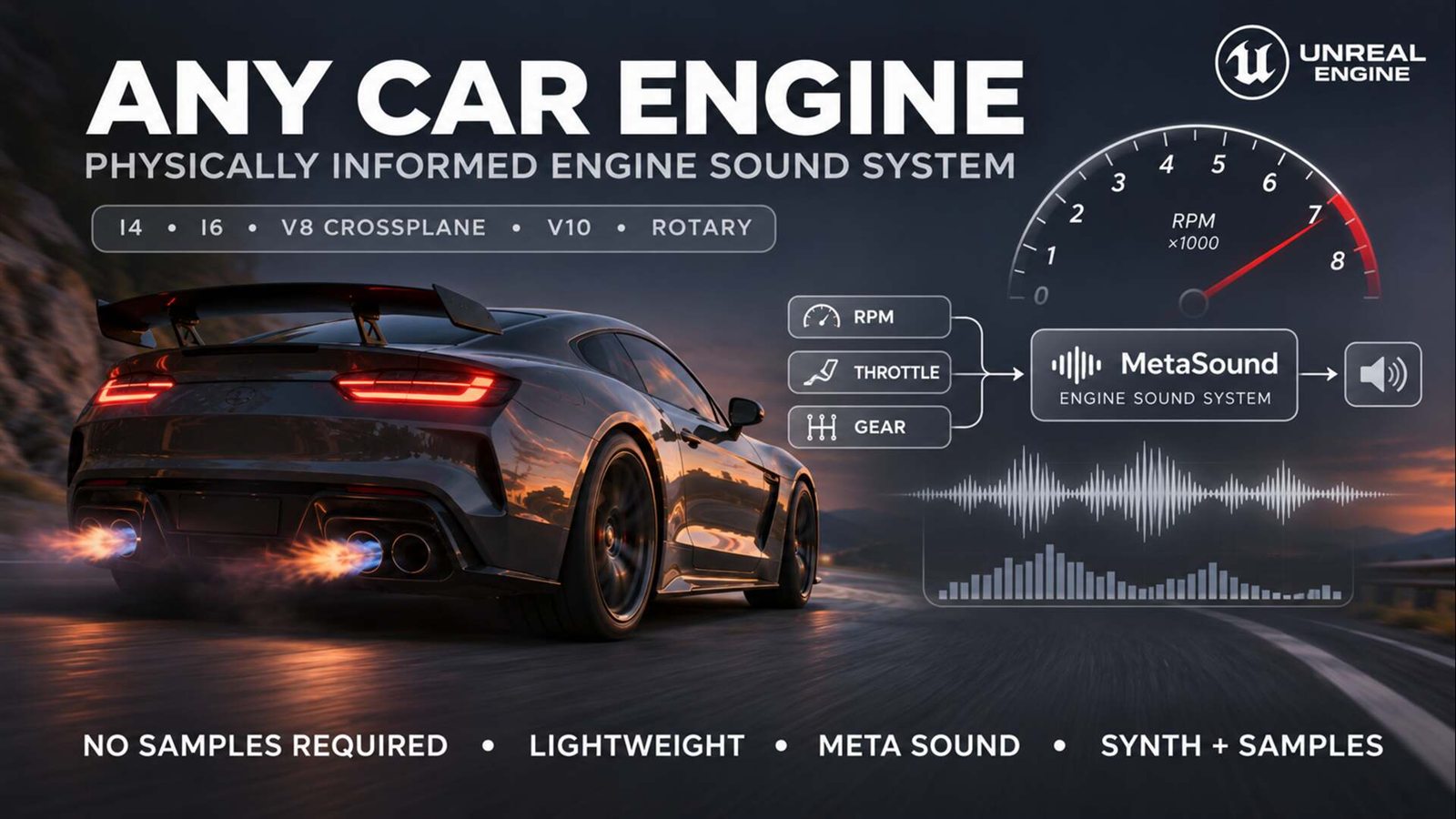
Built like an engine, so it behaves like one.
Under the hood is a small engine simulation. Cylinders fire in their real order, each pulse travels down headers and pipes, and an engine computer handles the limiter, the fuel cut and the gear changes. A flat-plane V8 screams, a muscle V8 lopes at idle and a hot hatch pops on the downshift, without you scripting any of it.
Drop the component on your car and point it at the Chaos movement component: RPM, throttle and gear are picked up every frame. Driving something custom? Feed those three values from Blueprint or C++.
In the download: full C++ source, the Car Engine Sound MetaSound node, a MetaSound wired and ready to play, ten tuned engine profiles and the vehicle component.
Light on your project
Half a megabyte, ten engines, no sample library.
Engine audio usually means a folder of loops for every car. Any Car Engine generates the sound instead, so the whole plugin weighs less than a few seconds of uncompressed recording, and it stays easy on the CPU while it plays.
< 1 MB
The whole plugin
Source code, ten engine profiles, the MetaSound and the guides come to about half a megabyte before compiling.
< 1.5%
Of one CPU core, at peak
The MetaSound's highest CPU Core reading per engine. Nothing is allocated while it plays, so it won't hitch your frame.
0
Samples needed
Every engine is generated live. Add loop sets, ramps or one-shots only when you want one particular car's recorded character.
13
Layouts to build your own engines
Pick a layout or type in your own firing order, then shape the exhaust, pops and turbo with sliders while you drive. No code, no audio editing.
The usual way
Most car audio starts at a dyno and ends in a compromise.
Record loops every 500 RPM on and off throttle, crossfade them, then script the limiter, the shift cuts and the pops on top. Each car takes weeks, and quick revs still come out smeared. Any Car Engine starts from the other end: it generates the engine, and recordings become an optional layer.
No recording session
Pulses are shaped in crank degrees, so the idle has separate chuffs and high revs merge into a howl. A boxer with unequal headers rumbles, a cross-plane V8 burbles, a rotary snarls.
The drama comes free
Hold it on the limiter and it bounces. Snap an upshift and the ignition cuts. Lift off at high revs and the exhaust crackles. Turn the key and it cranks, catches and settles.
Recordings, if you want them
Own a loop pack or a dyno ramp? Bake it into the profile and blend it with the synth at any ratio. Your pop, blow-off and starter samples take over from the generated ones.
Restless at idle
Real engines never fire twice the same way. Small misfires, uneven cylinders and a cammy lope stop every car from sounding like a loop, and throttle changes the tone as well as the volume.
Setup
Three steps to a running engine.
01
Add the component
In your vehicle Blueprint, add Ax Car Engine Sound and place it at the engine.
02
Choose an engine
Set Profile to any of the ten engines. Each one is tuned and ready.
03
Point it at the car
Under Input, pick your Chaos vehicle's movement component and press Play. That is all the wiring there is.
Arcade car with no gearbox? Simulated mode reads the car's speed and your throttle, then picks the gears itself.
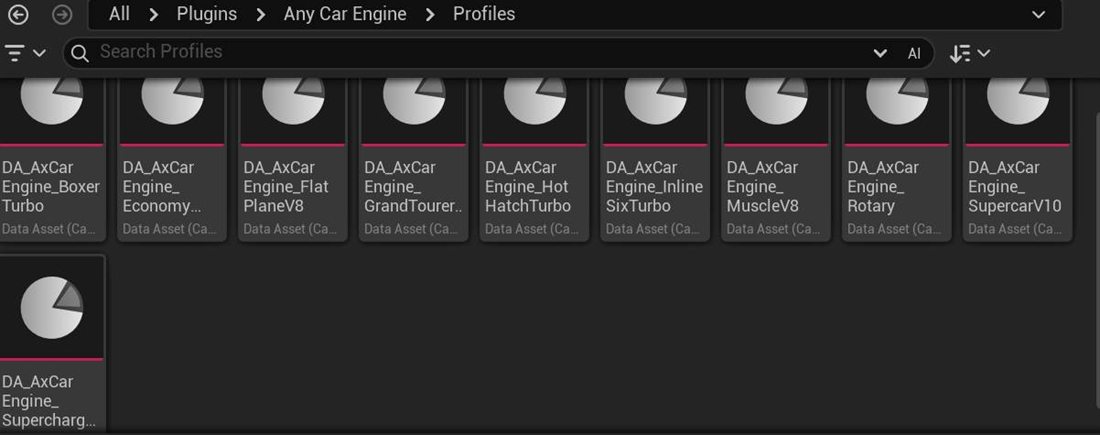
Ten engines in the garage
Hot Hatch Turbo, Muscle V8, Supercharged V8, Flat-Plane V8, Supercar V10, Grand Tourer V12, Boxer Turbo, Inline-Six Turbo, Rotary and Economy Four. Start from the closest one and tune a copy until it sounds like your car.
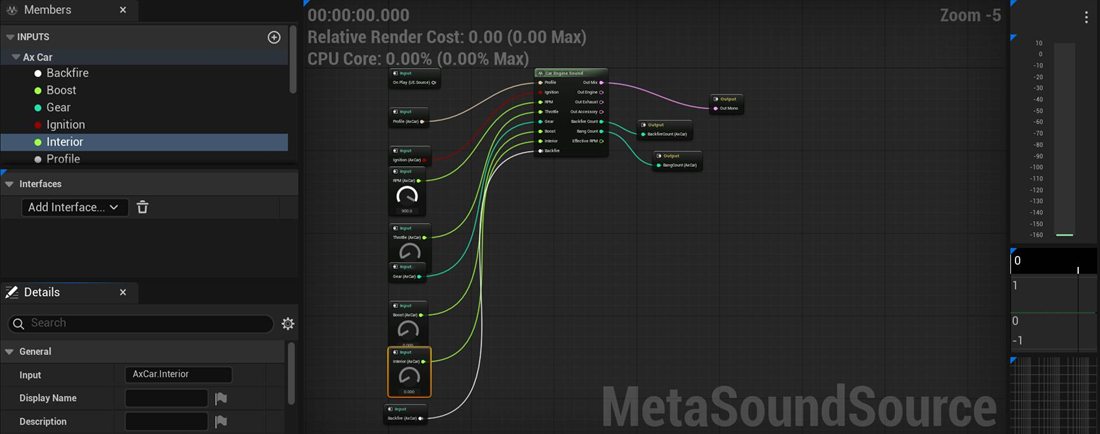
Audition without a car
Open MS_AxCarEngineSound, press Play and sweep the RPM and Throttle sliders. Switch the profile to compare engines back to back.
Inside a profile
Every car is one data asset.
A profile holds a car's whole character, grouped the way a mechanic would think about it. Here are two of those groups with their out-of-the-box values.
▾ Control
The engine computer
Where the engine idles, where it hits the limiter and how violently it bounces there. Off the throttle above the fuel-cut speed, the exhaust goes hollow; on a loaded upshift, the ignition cuts for a split second.
▾ Backfire
When it pops
How high the revs must be before a lift-off crackles, how quickly the pops come and how often one turns into a bang. Every burst fires OnBackfire, ready for a flame effect.
Where it fits
Racing games, open worlds and anything with wheels.
Racing and driving games
Give each car on the grid its own voice, with a limiter, shift cuts and pops that react to how the player drives.
Arcade and open-world cars
Cars without a drivetrain still rev, shift and pop: Simulated mode turns speed and throttle into RPM and gears.
Upgrades and garages
Swap the profile at runtime so players hear the new exhaust, turbo or supercharger they just bolted on.
Cockpit and chase cameras
Call SetInterior when the camera moves into the cabin, and the engine turns muffled and boomy the way it does from the driver's seat.
Engine bay and tailpipe
Put one emitter at the engine and one at the exhaust. They stay in sync, so walking around the car changes what you hear.
Sample-based projects
Already own an engine library? Let its loops and ramps carry the identity while the synth adds punch, pops and turbo on top.
Play-in-editor tuning
Drive it while you tweak it.
Change a profile during Play In Editor and every car using it updates on the spot. Nothing restarts: the engine keeps idling, loops keep their place, and you hear the new exhaust on the next rev.
Live edits to any setting while you drive
Apply Preset swaps the whole engine type, with undo
Bake Report lists the RPM range, grain count and memory of your recordings
Node outputs for effective RPM and pop counts
The full kit
A complete engine audio stack.
On the left, the systems that simulate and mix the engine. On the right, the assets that let you hear it within minutes. Swap any piece for your own.
Systems
Simulation and mixing
- The Car Engine Sound MetaSound node, with separate engine, exhaust and accessory outputs
- 13 engine layouts with real firing orders, plus a custom layout
- Rev limiter, fuel cut, shift cut, starter and shutdown
- Pops, crackles and bangs on lift-off, on shifts and at the limiter
- Turbo spool, whine, blow-off and flutter; supercharger and gearbox whine
- A cabin sound driven by one Interior value
- RPM loop sets, granular ramps and one-shots, layered with the synth
- A vehicle component for Chaos, Blueprint, C++ and arcade cars
Assets
Ready-to-use content
- MS_AxCarEngineSound: a MetaSound with every input connected
- Ten engine profiles, from an economy four to a V12
- A spatialized attenuation for cars out in the world
- Engine-bay and tailpipe emitters that play in sync
- An OnBackfire event to hang flame effects on
- Guides for setup, tuning and recording your own engines
Full source and every asset come with the purchase. Recorded engine sounds don't: the ten engines are generated, and you can blend in your own recordings or a commercial library.
Setup and tuning guide →FAQ
Things people ask first
Can I set it up without C++?
Yes. Adding the component, choosing a profile and linking a Chaos vehicle are all done with a few clicks. Starting and stopping the engine, the cabin view, boost and backfires are Blueprint nodes, and the C++ source ships with it for anyone who wants to dig in.
What do I need to run it?
Unreal Engine 5.8, on every platform Unreal supports: Windows, Mac, Linux, Android and iOS. It builds on MetaSounds and Chaos Vehicles, both of which ship with Unreal, and enables them for you.
Are engine recordings required?
No. All ten engines are generated and play straight away. Recordings are an extra: RPM loop sets, a slow ramp, pops or blow-offs, mixed in at whatever level you like.
My car isn't a Chaos vehicle. Will it work?
Yes. Send RPM, throttle and gear from your own vehicle code each tick, or use Simulated mode and let the component work out RPM and gears from the car's speed.
Can the cockpit sound different?
Yes. SetInterior moves the sound through a cabin filter with its own level for the engine, exhaust and accessories. If you have interior recordings, they fade in too.
Does it spawn exhaust flames?
No visual effects are included. OnBackfire reports how many pops and bangs just played, which is the hook for your own Niagara flames.
How heavy is it with lots of cars?
Very light. Each engine's MetaSound peaks below 1.5% of a single CPU core, and nothing is allocated while it plays. For big AI fields, switch off layers you won't hear and use MetaSound virtualization.
Can it match a specific real car?
You can get close. Choose the matching layout, then tune the exhaust lengths, muffler, pops and turbo while you drive. For the real thing, blend in recordings of that car.
Give your cars a voice.
Ten tuned engines with limiter bounce, shift cuts, crackles and turbo whine, in a plugin under 1 MB. Ready to drop into your UE 5.8 project.