
VST Audio | Controlling VST Parameters from UE5 Gameplay Code
In this tutorial we’ll cover meatasound driven VST audio plugins from gameplay code through Blueprints or C++ from the GameThread.
A common requirement is changing VST parameters dynamically during gameplay. For example:
Adjusting a filter cutoff when the player enters a cave
Increasing distortion when health is low
Controlling reverb based on environment size
Synchronizing effect parameters with gameplay events
This tutorial explains how to control VST plugin parameters from Unreal gameplay code.
Example Asset: SingleVstEffectsMetasound
As at Vst Audio v0.8 there is an example metasound you can find at the below path to get started.
/VstAudio/VstEffectsDemos/Metasounds/MS_SingleVstEffectsMetasound
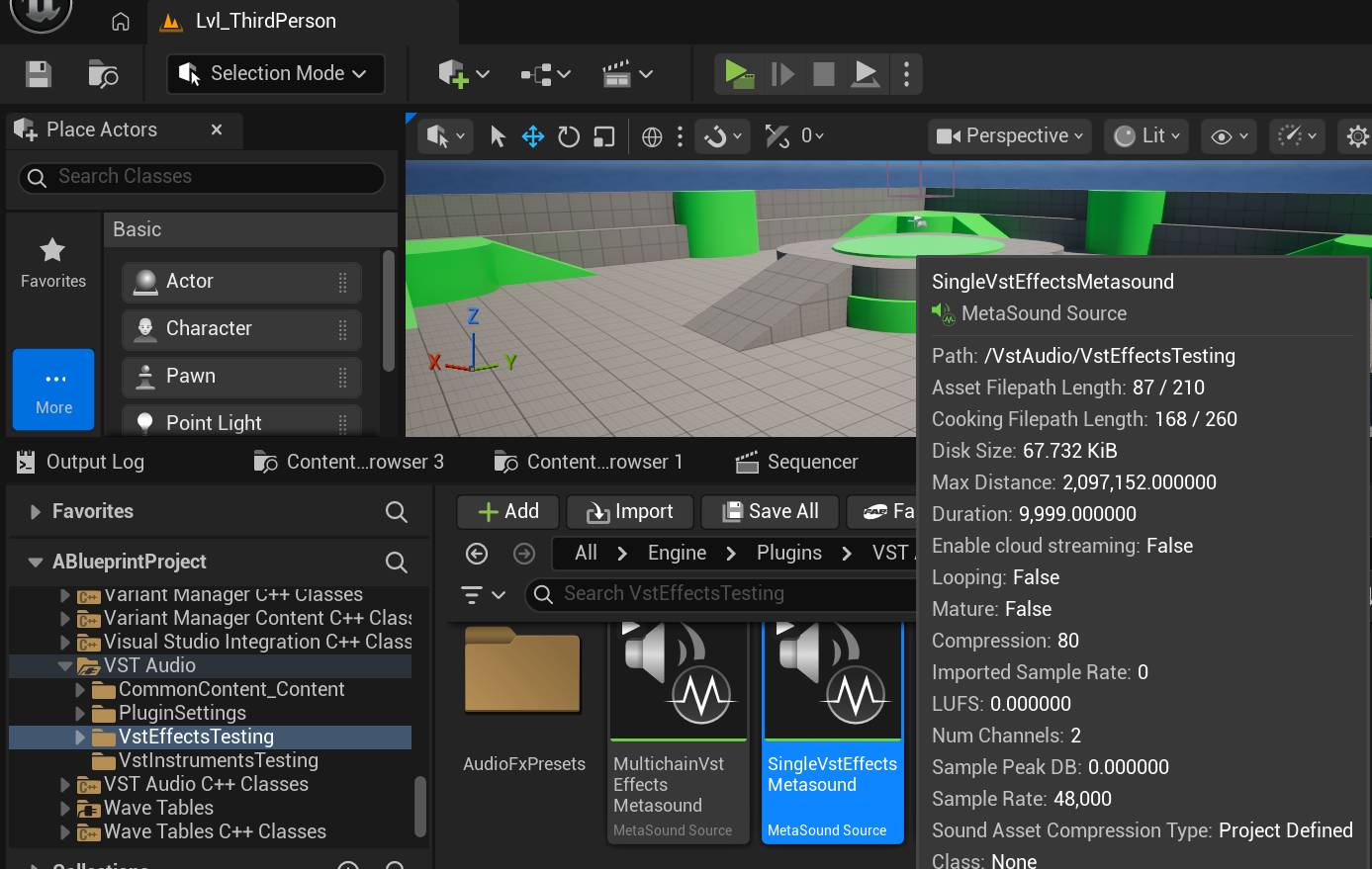
This MetaSound is configured with the following signal chain:
Stereo Output
Wave Player (audio source)
VST Audio Effect Node
Output connected to the MetaSound Source Output
Tagging VST Instances In The Metasound
In order to locate and identify VST Instances you wish to control from gameplay code, you need to tag the Vst Instance’s node with a unique ‘tag’ or string. You can use whatever unique name/label you wish but this first step is important. Click the Vst Node and in the details panel fill in the “Vst Instance Tag” field.
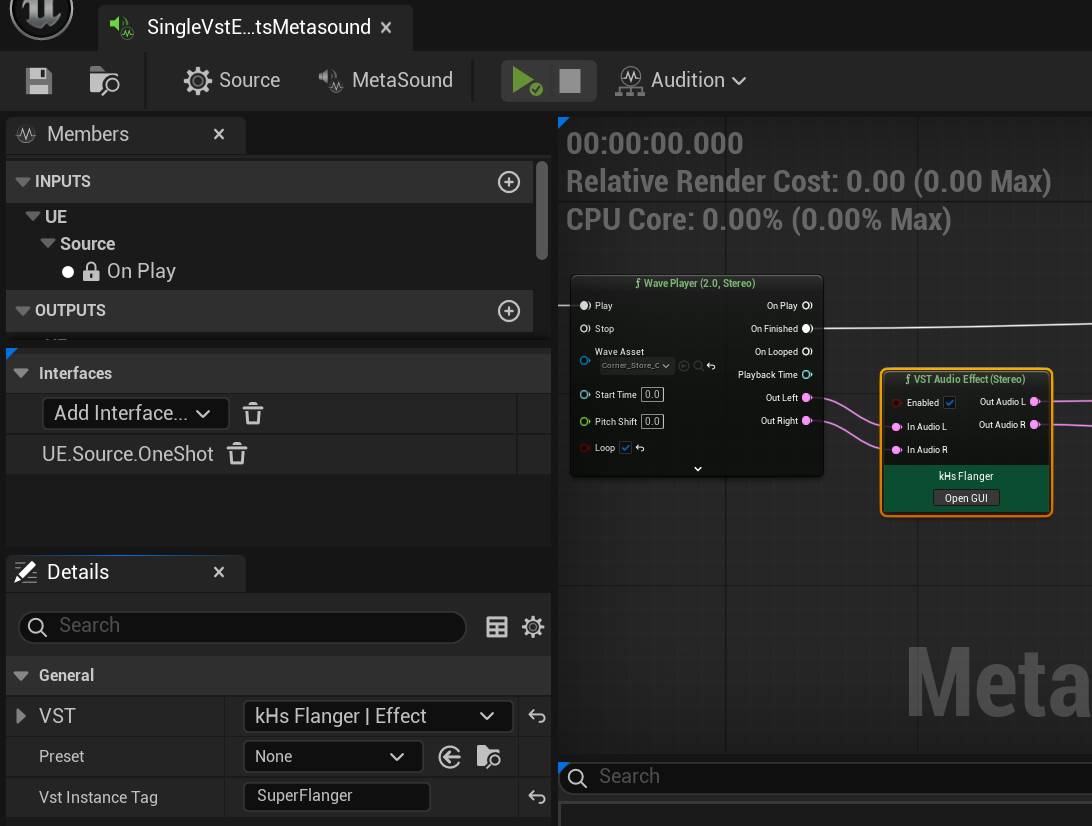
Tagging rules
The rules in the article are straightforward:
each VST MetaSound node should have a unique tag within that MetaSound asset,
if two nodes use the same tag, the first one will be returned during requests,
if a node is not tagged, it cannot be retrieved from Blueprints or C++,
tagging is only required when you intend to access that VST instance from gameplay code.
Vst Instance Handles for the VST Instance from blueprints
Assuming you have an audio component that has our metasound set as its sound , its now time to query it for the Vst Instances it uses from blueprints (or c++).
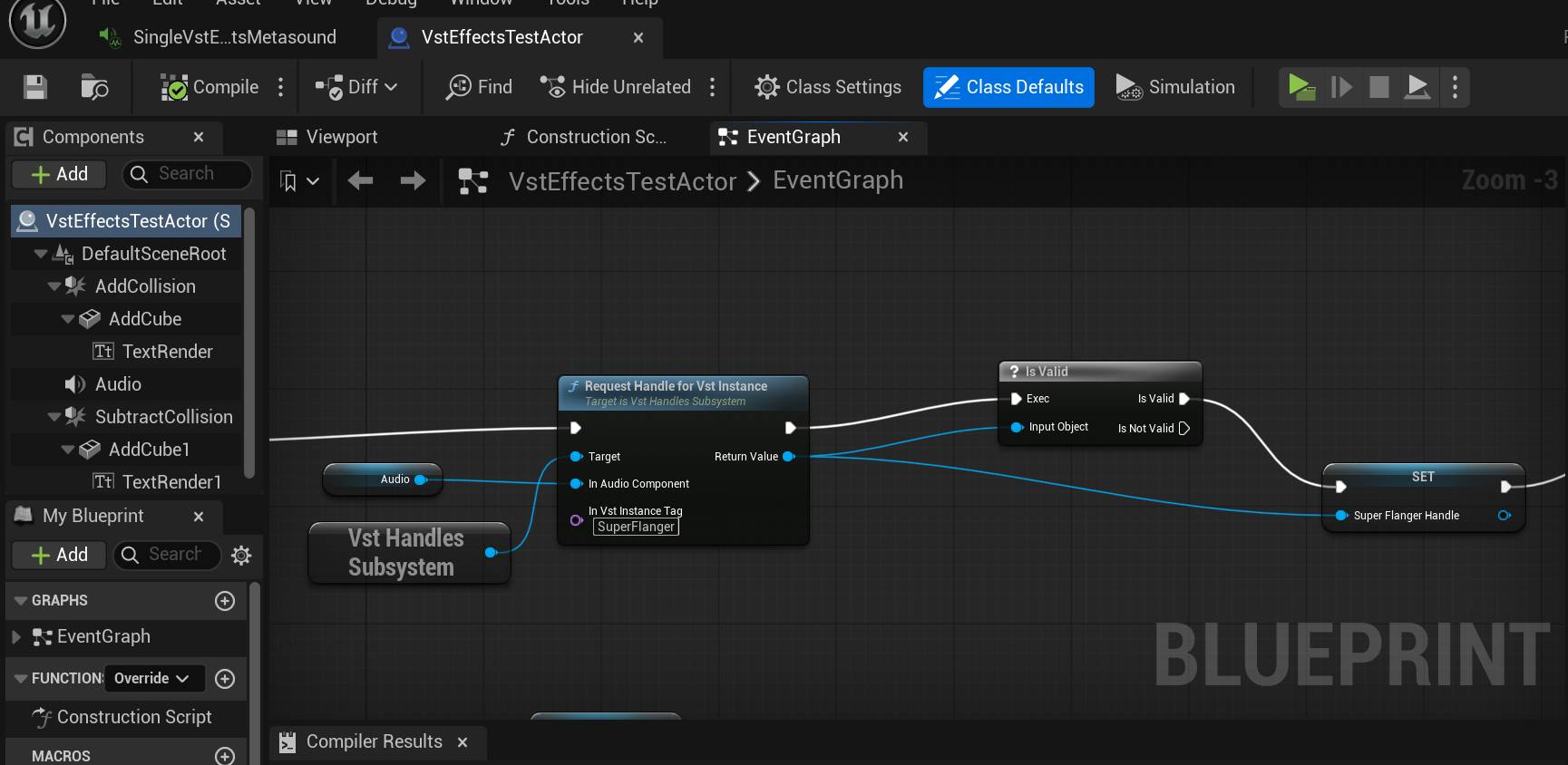
The VstHandles Subsystem will create VST handles for Vst Instances in any metasounds. Vst Handles are simply weak pointer utility classes to the actual Vst Instance in the metasound. They won’t keep the instance alive or control its lifetime but they’ll help you control the instance while its alive. If the instance dies that’s still fine, handles account for this , you can dump them anytime or renew what they point to.
The function to call on the subsystem is “Request Handle for Vst Instance” , which will give you a “handle” to the instance. This function requires the “tag” you added to the VST node in step 1.
With that handle you can issue Parameter commands to the Vst Instance (while its alive). Generally you you should assume an instance is alive if the metasound its sitting in is alive or playing….
Issuing Parameter commands To VST in UE5
Once you have a valid handle to a VST Instance, you can issue parameter commads, let get value or set value on the VST Instance.
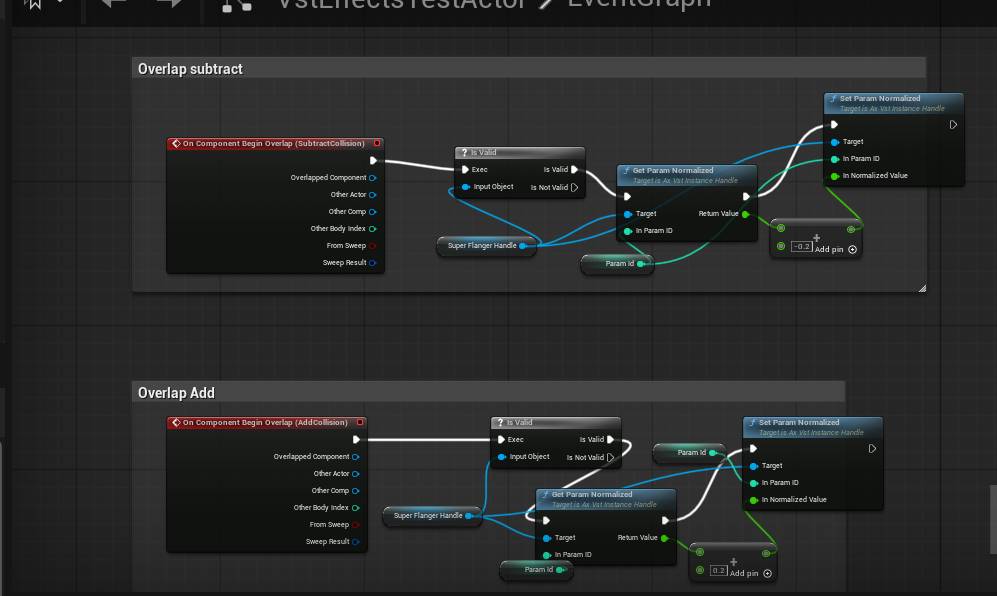
If the instance is not valid, that’s still fine, nothing will happen and the program will not crash, if its valid the command will be applied. For sanity you can check for validity before issuing commands.