
Day and night · Changing weather · Wet ground and snow
Give any Unreal Engine 5 level a full day and night with weather that changes on its own: clouds, fog, rain, snow, lightning, wind and wet ground, set up in one click and tuned in the Details panel.
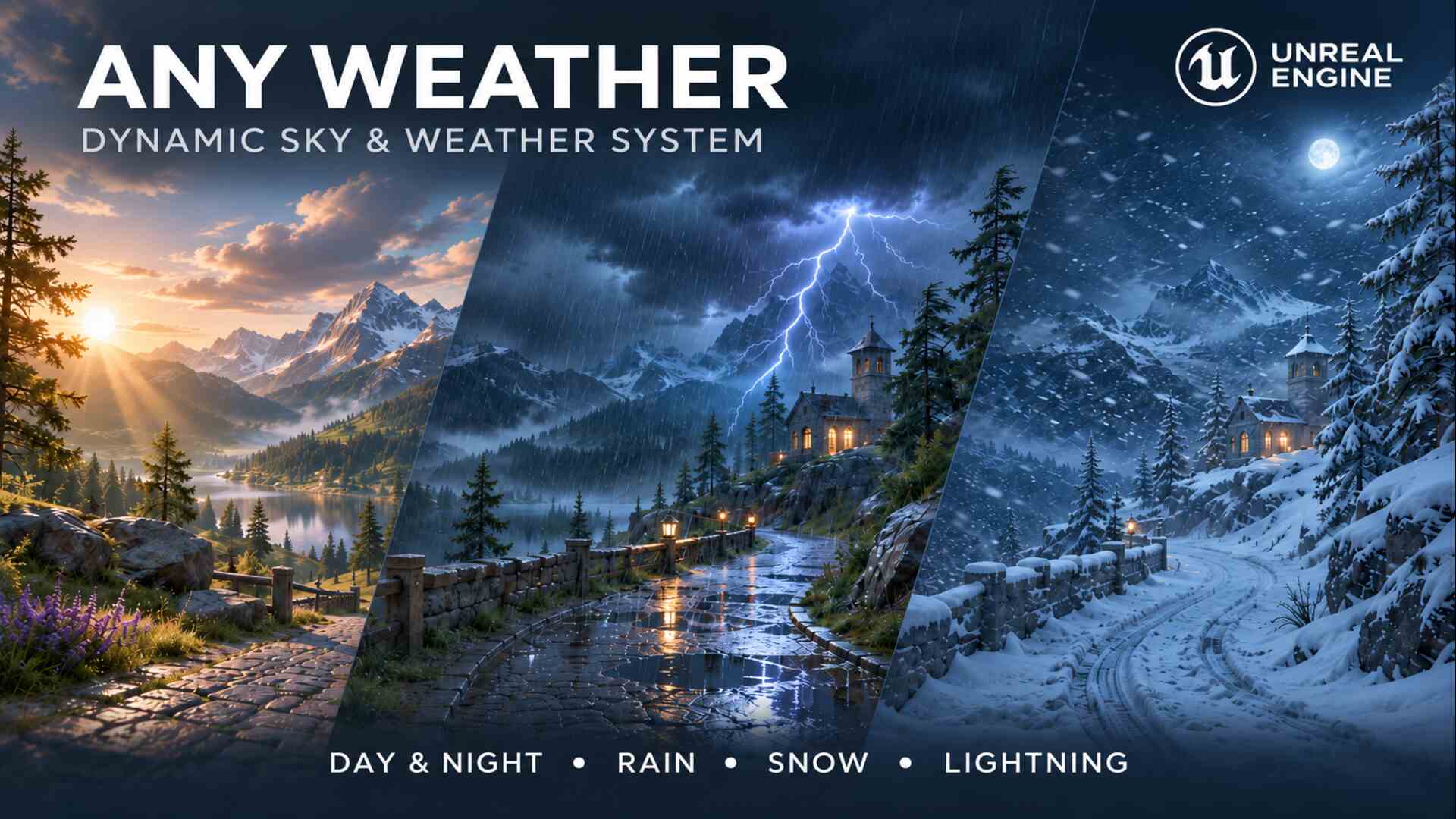
One actor runs your sky and weather.
Any Weather drives the sun, moon, stars, clouds, fog, rain and snow of your level from one placed actor. Weather blends from one preset to the next, the ground gets wet and snowy, and the wind moves rain, snow, foliage and cloth together.
Drop it in, click Set Up Scene, and the sky you already have comes alive. Change the time, the weather or the wind in the Details panel or with a Blueprint node.
Included in your purchase: the Any Weather plugin with full source, a ready-to-use weather Blueprint, nine weather presets, rain, snow and lightning effects, and optional add-ons for wet characters, swaying foliage and rippling water.
Why Any Weather
The hard part of weather isn't the rain.
It's everything that has to agree with it: a sun and moon that keep time, clouds that thicken before a storm, ground that soaks and dries again, wind that moves the rain and the trees together, and every player seeing the same sky. That's weeks of systems before a level feels alive. Any Weather has already built them.
A real day and night
The sun rises and sets with the date and latitude, the moon goes through its phases, and the stars turn through the night. Make a day last two minutes or two hours.
Weather that changes on its own
Presets blend smoothly from one to the next. A climate picks what comes next by weight, or a sequence plays your own forecast in order.
Ground that reacts
Rain wets the ground and fills puddles, snow settles in the cold and melts in the sun, and ground under a roof stays dry, without editing a single material.
The same sky for every player
In multiplayer, every player sees the same sun, the same storm and the same lightning, and players who join late arrive in the same weather.
How fast is it?
From a static sky to changing weather in three steps.
01
Drag in the weather system
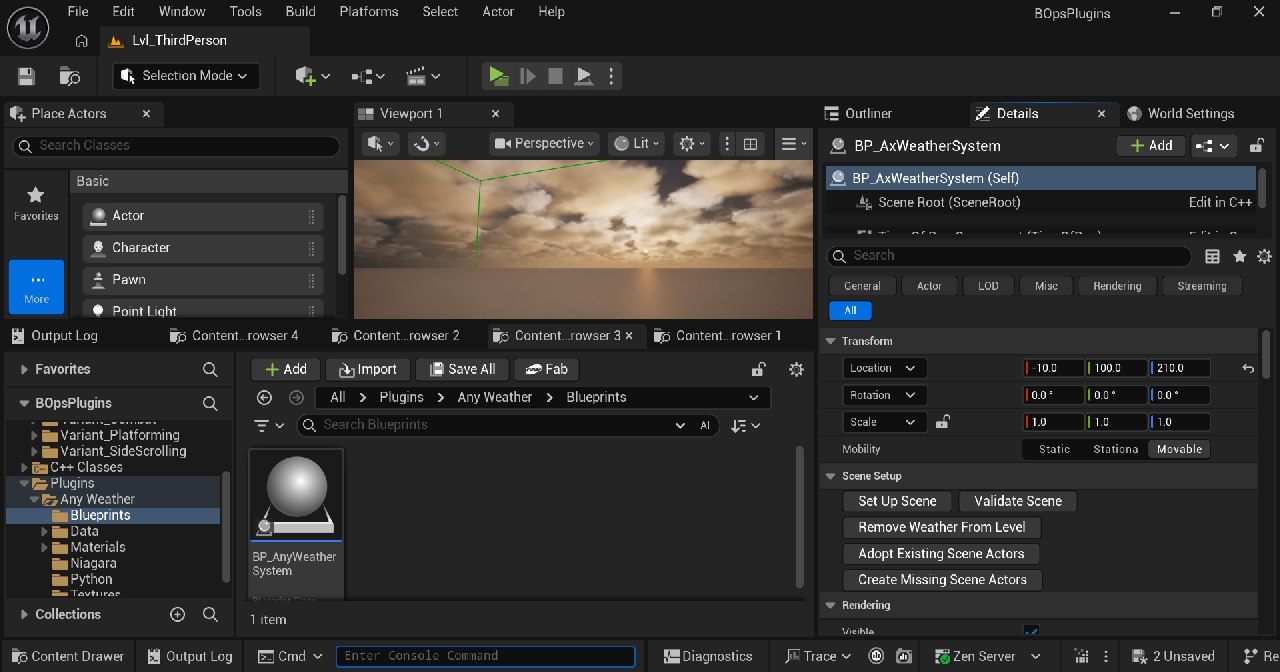
Find BP_AnyWeatherSystem under Place Actors > Weather and drop it into your level.
02
Click Set Up Scene
It takes over your sun, sky atmosphere, sky light, clouds and fog, creates whatever is missing, such as a moon, and remembers your original settings.
03
Pick a time and a weather
Set the start time and the starting weather in the Details panel and see it in the viewport. Tick Scheduler Enabled and the weather changes on its own in Play.
Changed your mind? Remove Weather From Level puts your sky actors back the way they were.
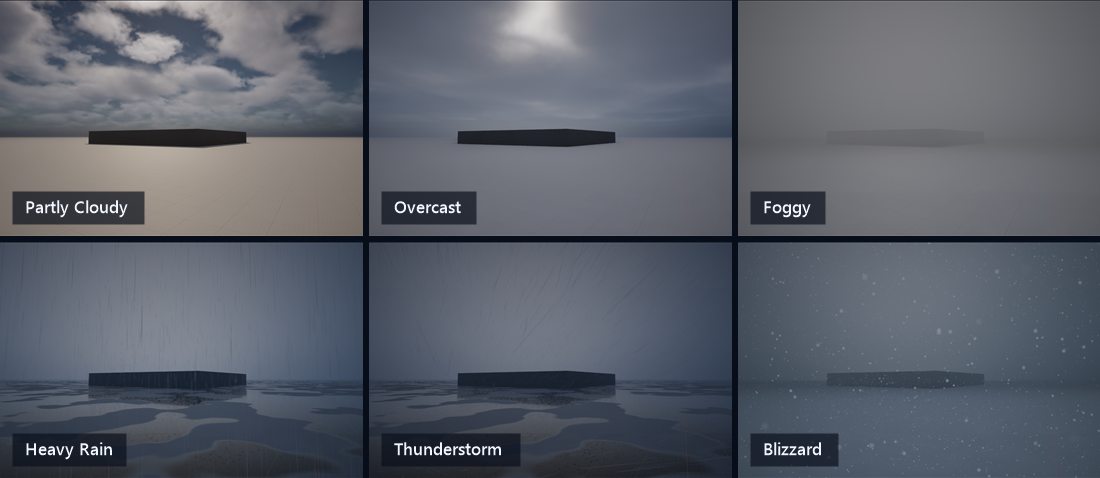
Nine weather presets
Clear, Partly Cloudy, Overcast, Foggy, Light Rain, Heavy Rain, Thunderstorm, Light Snow and Blizzard, ready to use or to copy and tune.
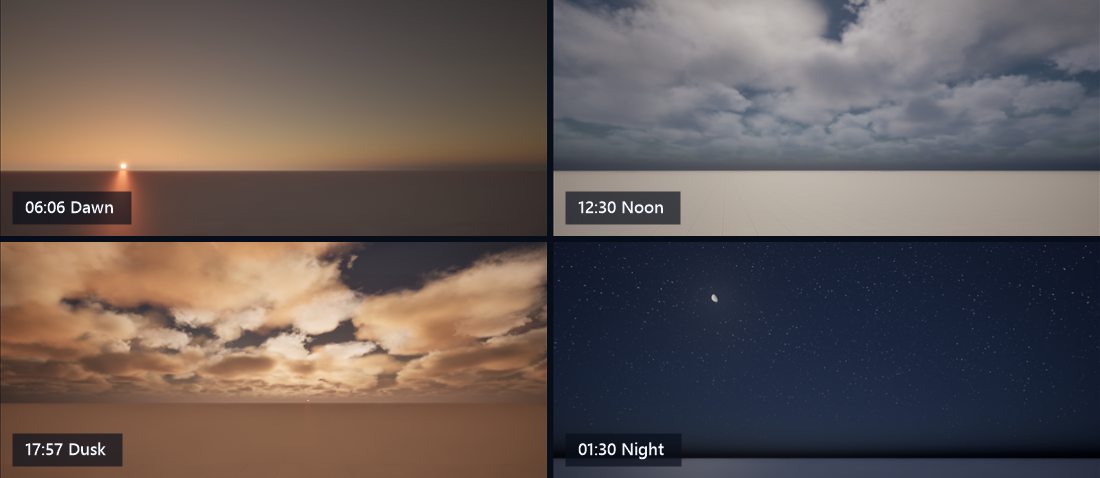
Day, night, moon and stars
Dawn, noon, dusk and a starry night from the same spot, with the moon in its real phase.
Got a look in mind? Send it to us.
Send us an image of the sky or the storm you want and we'll help you build it with Any Weather. The presets are only a starting point. The possibilities are endless.
Settings that save weeks
Tune the weather, not the code.
The choices that normally mean rewriting a system are a single value in the Details panel. These are the real defaults you start with.
▾ TimeOfDay
A day as long as you like
Set how many real minutes a day lasts, the date and the latitude. The sun's path, sunrise and sunset follow, and the moon keeps its phase through time jumps.
▾ GlobalWeather
Weather that runs itself
Pick the starting weather and a climate. Tick Scheduler Enabled, and the climate decides what comes next and blends to it. The same seed plays the same forecast every time.
What you can make
One weather system for every kind of world.
Open-world and survival games
Long days, changing weather and cold nights. Gameplay can ask whether it's raining, how cold it is and how wet the ground is.
Multiplayer worlds
Listen and dedicated servers share one clock and one forecast, and players who join late arrive in the same weather.
Regions and biomes
Zone volumes give a valley its fog or a summit its blizzard while the rest of the map stays clear.
Scripted story moments
Roll in a thunderstorm over two minutes from a Blueprint node, jump to dusk, and react to every lightning strike.
Showcase and archviz scenes
Show a place at dawn, noon and night, dry or after the rain, from the same camera.
Your own weather effects
Make your own materials, lights and props react to the weather in Blueprint, with no C++.
Live editor preview
See the weather before you press Play.
Any Weather runs in the editor viewport, not just in Play. Pick a time and the sun moves. Pick a preset and the clouds, fog and wet ground settle. Every Details edit shows at once. Start a preview transition to watch one weather blend into another while the clouds drift downwind, as they will in game.
Every setting previews live in the viewport
Start Preview Transition blends between two presets in the editor
Clouds drift and change shape while you work
An on-screen readout shows the time, weather, ground and wind
What's in the box
Everything the weather needs, ready to drop in.
Any Weather has two sides: the system that decides the weather, and the content that shows it. Both are included, and you can replace any part with your own.
Included · The system
Weather and time-of-day system
- A day-and-night clock with sun, moon phases and stars
- Weather that blends from one preset to the next
- A climate that picks the next weather, or your own forecast in order
- Boxes you place for local weather, like a foggy valley
- Ground that gets wet, fills puddles and gathers snow
- Gusting wind you can set once for the whole level
- Lightning flashes and bolts, with thunder timed by distance
- One-click setup, and one click to take it all out again
Included · The content
Presets, effects and materials
- A ready-to-use weather Blueprint: drop it in and go
- Nine weather presets and a ready-made climate
- Rain, snow and lightning effects
- Moving volumetric clouds, stars and a moon with phases
- Wet ground, puddles and snow without touching your materials
- Optional add-ons for wet characters, swaying foliage and rain ripples on water
- Four quality levels, from Low to Epic
Included in your purchase: the Any Weather plugin with full source and all of its content. Weather sounds are not included; add your own rain, wind and thunder and they play with the weather.
Read the Any Weather documentation →Questions
Before you buy
Do I need to know C++?
No. Setup is one button, every setting is in the Details panel, and time, weather and lightning are ready-made Blueprint nodes and events. The full source is included if you ever want it.
Which engine versions and platforms are supported?
Unreal Engine 5.8. Any Weather is developed and tested on Windows.
Will it work in my existing level?
Yes. Set Up Scene adopts the sun, sky atmosphere, sky light, clouds and fog you already have and only creates what's missing. Remove Weather From Level restores their original settings.
Does it work in multiplayer?
Yes: single player, listen servers and dedicated servers. Every player sees the same time and weather, and players who join late arrive in the same weather.
Do I have to change my materials?
No. Wet ground, puddles and snow appear across your level without changing any materials. For water, characters and your most important materials, optional add-ons are included.
Are weather sounds included?
No sounds ship with Any Weather. The audio effect has layers for rain, wind and snow, and the lightning effect has near and far thunder slots. Add your own sounds and they fade with the weather and muffle under cover.
How does it scale on lower-end hardware?
Four quality levels, from Low to Epic, trade cloud, rain and fog detail for speed, and a graphics menu can switch them while the game runs. Test your levels on the hardware you target.
Can I make my own weather and style?
Yes. Presets are data assets you copy and tune, zones mix them locally, and you can write your own effects in Blueprint. Have a look in mind? Send us an image of your design and we'll help you build it.
Spend your time on the world, not the weather.
Day and night, nine weather presets, wet ground, snow, wind and lightning in one plugin, ready for Unreal Engine 5.8.