Sound Design LITE
Author sound effects directly inside Unreal Engine.
Render them instantly into usable SoundWave assets.
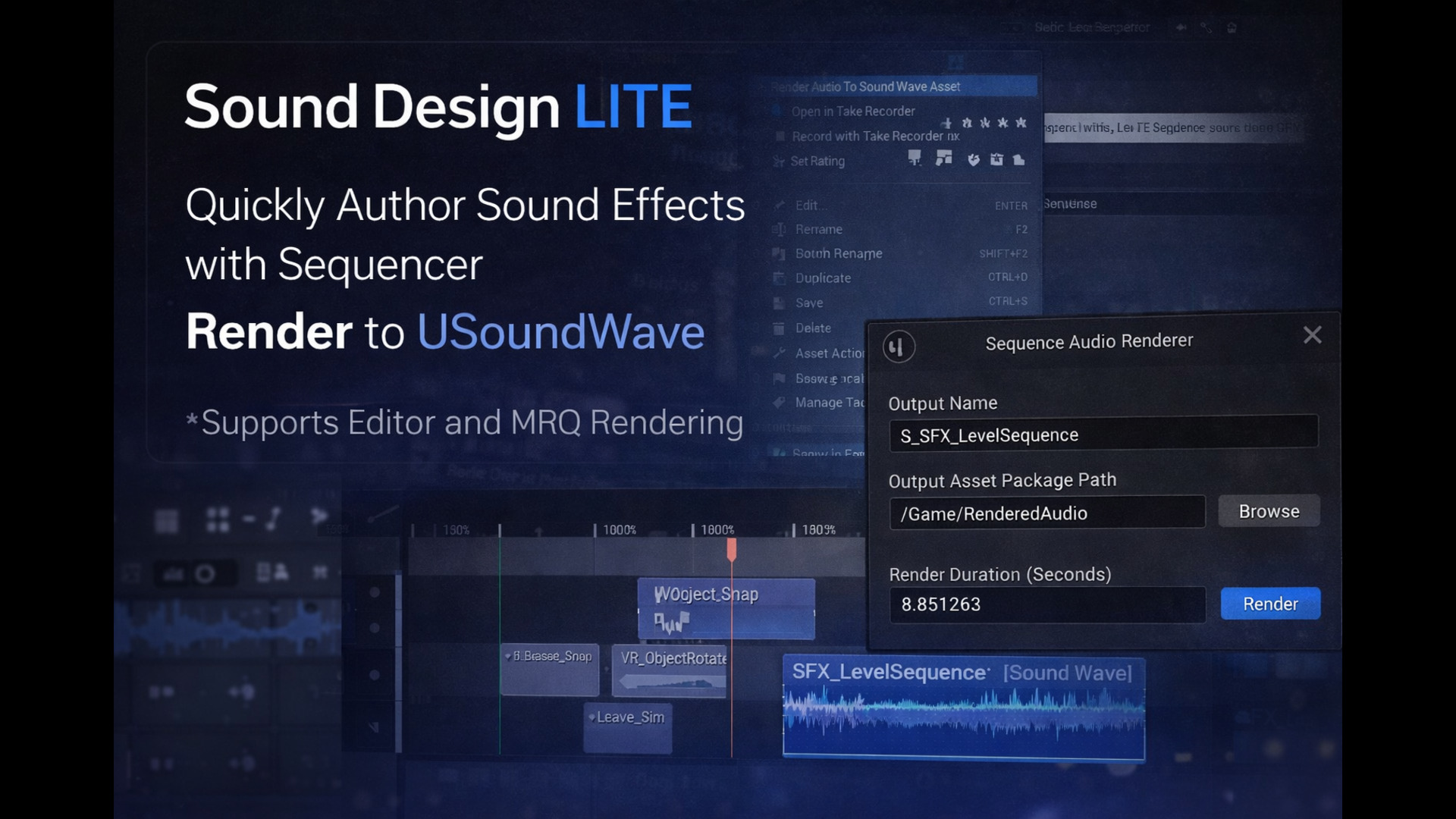
Sound Design: Sequencer transforms Unreal Engine’s Level Sequencer into a fast, iterative sound design tool. Instead of exporting audio to external software, you can build, refine, and generate final assets entirely inside the editor.
Core Capabilities
Sequencer-Driven Sound Authoring
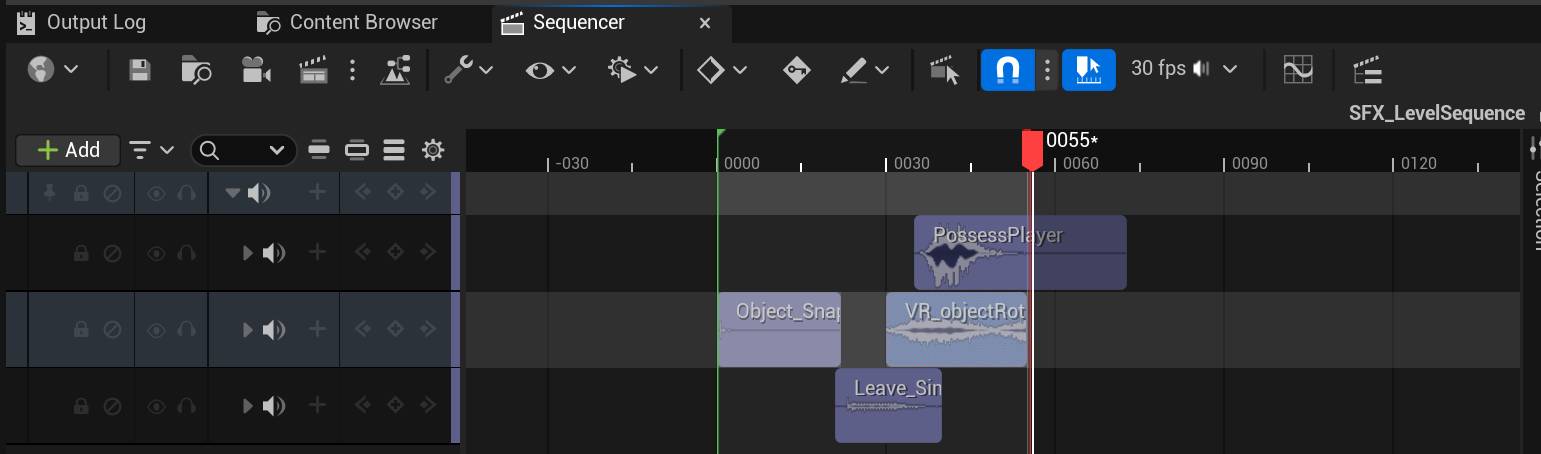
Use Level Sequences as your sound design timeline:
- Layer multiple audio tracks
- Precisely control timing and offsets
- Iterate in real time using editor playback
This allows sound design to follow the same workflow as animation and cinematics.
Direct SoundWave Asset Generation
Render Sequencer output straight into Content Browser assets:
- Generates standard USoundWave assets
- No file export/import cycle
- Immediately usable in gameplay, UI, or MetaSounds
Deterministic Naming and Packaging
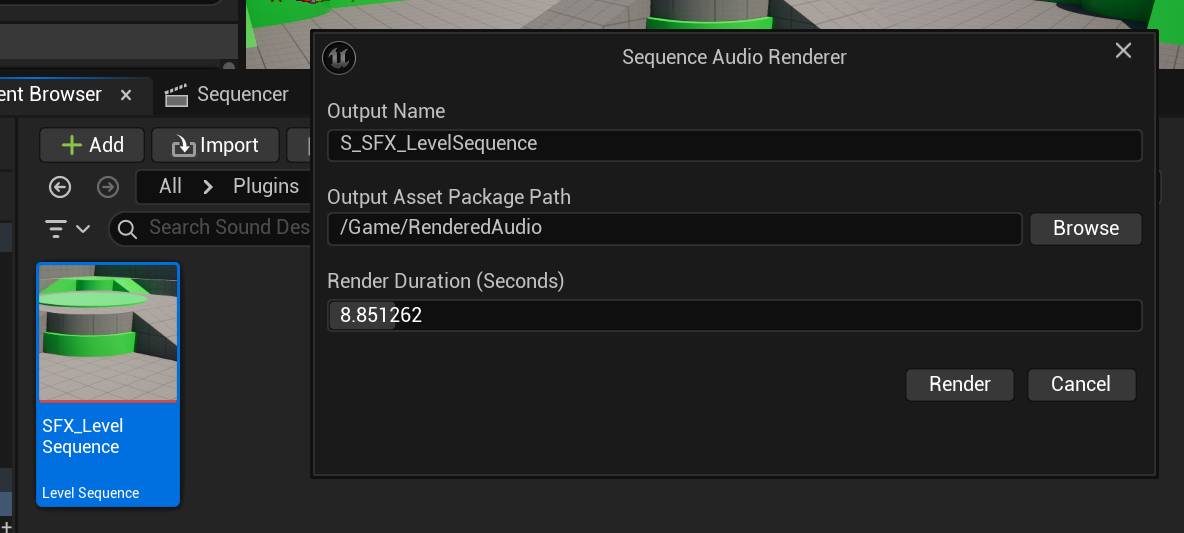
Control exactly how assets are created:
- Custom output names
- Custom package paths (e.g.
/Game/Audio/SFX) - Predictable overwrite behavior
This ensures assets integrate cleanly into existing content structures.
Iteration Without Asset Spam
Re-rendering updates existing assets in place:
- No duplicate assets
- No manual cleanup
- Stable references across re-renders
Typical Workflow
- Create or open a Level Sequence
- Add and arrange audio tracks/metasounds.
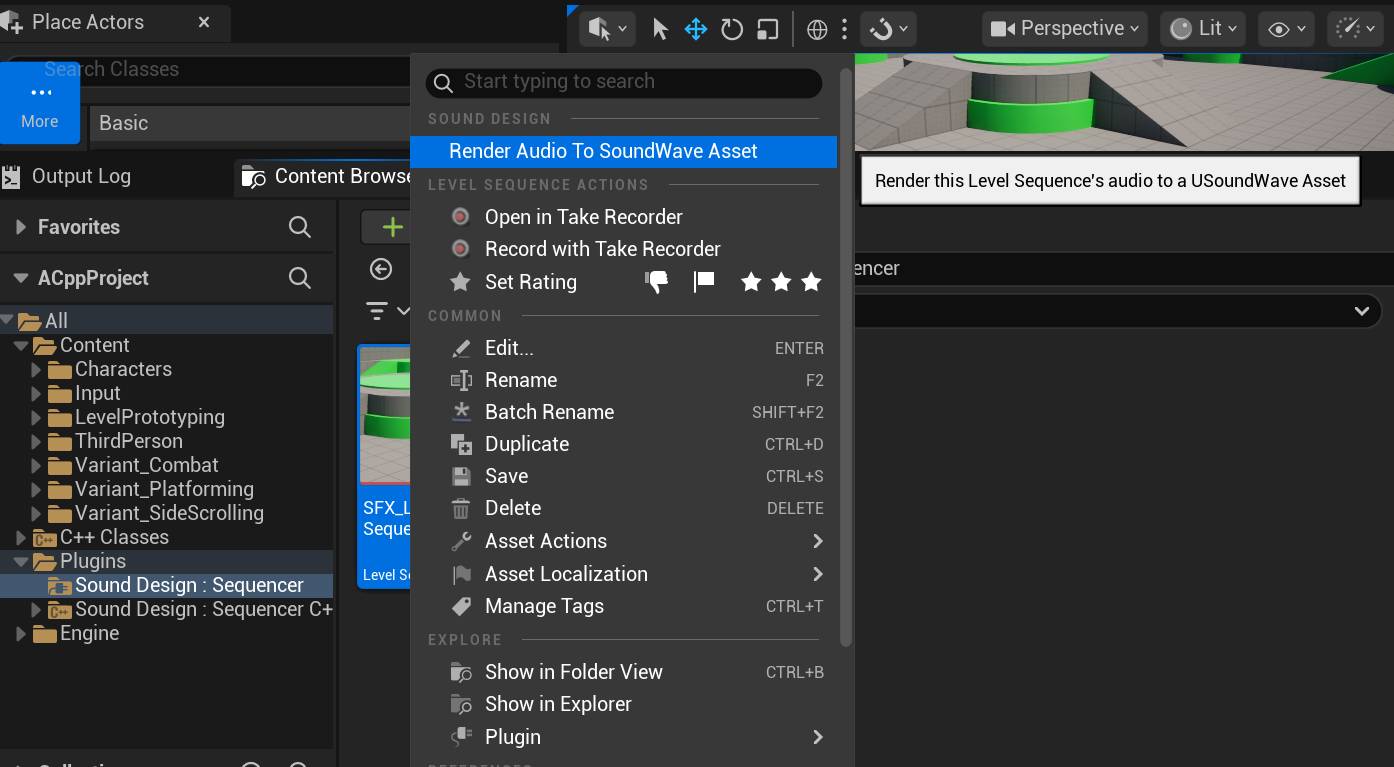
- Trigger Render Audio to SoundWave Asset
- Set output name and package path
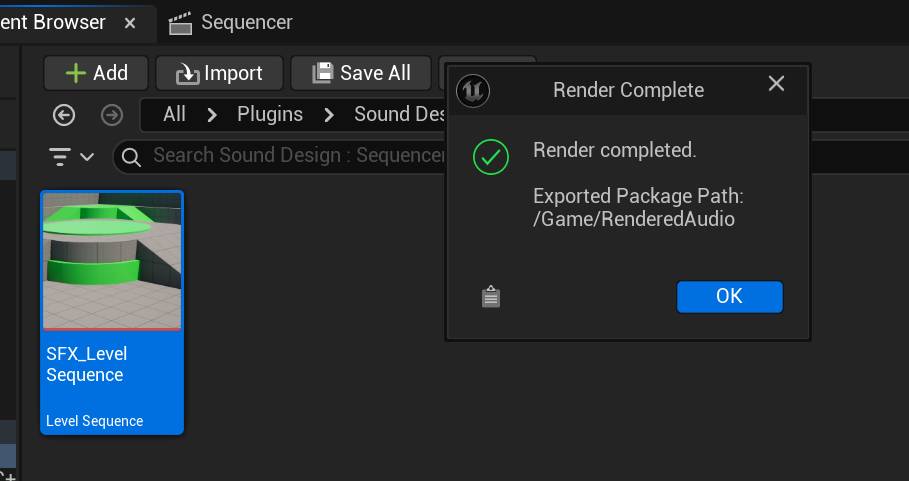
- Generate a ready-to-use SoundWave
Iteration Without Asset Spam
Re-rendering updates existing assets in place:
- No duplicate assets
- No manual cleanup
- Stable references across re-renders
Use Cases
- Rapid SFX prototyping
- Cinematic audio authoring
- Gameplay-driven sound iteration
- Tool-based or batch audio generation
- Eliminating external DAW round-trips
How to use Sound Design Sequencer
- Create or open a Level Sequence
- Add and arrange audio tracks/metasounds.
- Trigger Render Audio to SoundWave Asset
- Set output name and package path
- Generate a ready-to-use SoundWave