
Double Vision : UE5 Disorientation System
Add double vision and visual distortion effects to gameplay and UI using a fully Blueprint-based system.
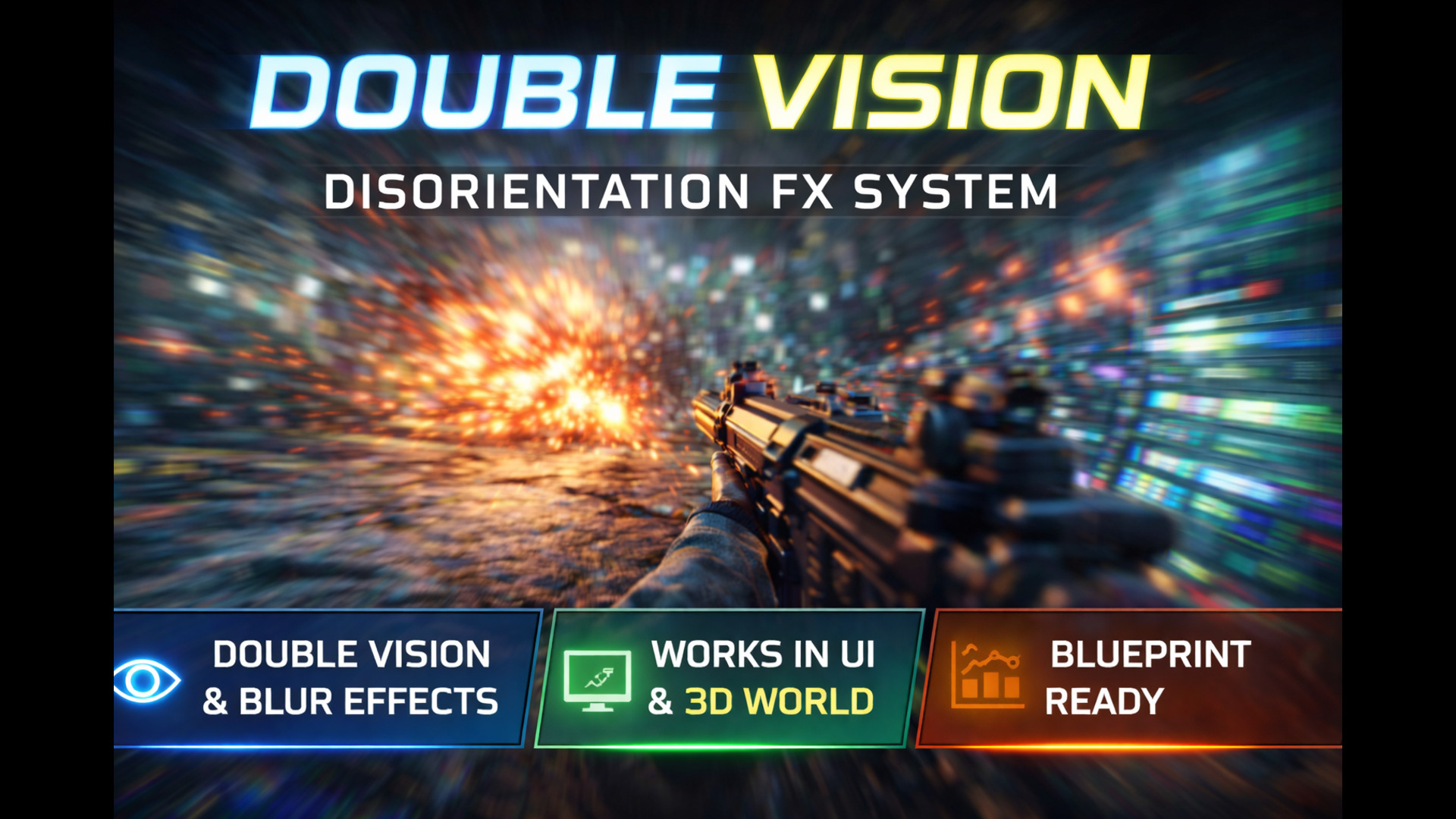
What This System Does
Double Vision is a Blueprint system that applies visual disorientation effects such as double vision, distortion, and blur to both gameplay and UI.
It is designed for impact feedback scenarios like explosions, damage, or status effects.
Key Features
Double Vision & Distortion Effects
UI and World-Space Support
Blueprint-Only Integration
Configurable Intensity & Duration
Lightweight and Runtime-Friendly
Double Vision Video Demos
0:42
0:12
Use Cases
Explosion / grenade impact
Low health feedback
Poison /Drunk/ status effects
Cinematic sequences
How To Use The System
Double Vision works through Post Process Material. Navigate to the following path and you should find the actor that you can add to any level you’d like to have the double vision effect applied to:
DoubleVision/Blueprints/BP_DoubleVisionPPActor
Once you add this actor to a level , the double effect system should immediately start affecting the scene. You can tweak its setting on the details panel of the instance.
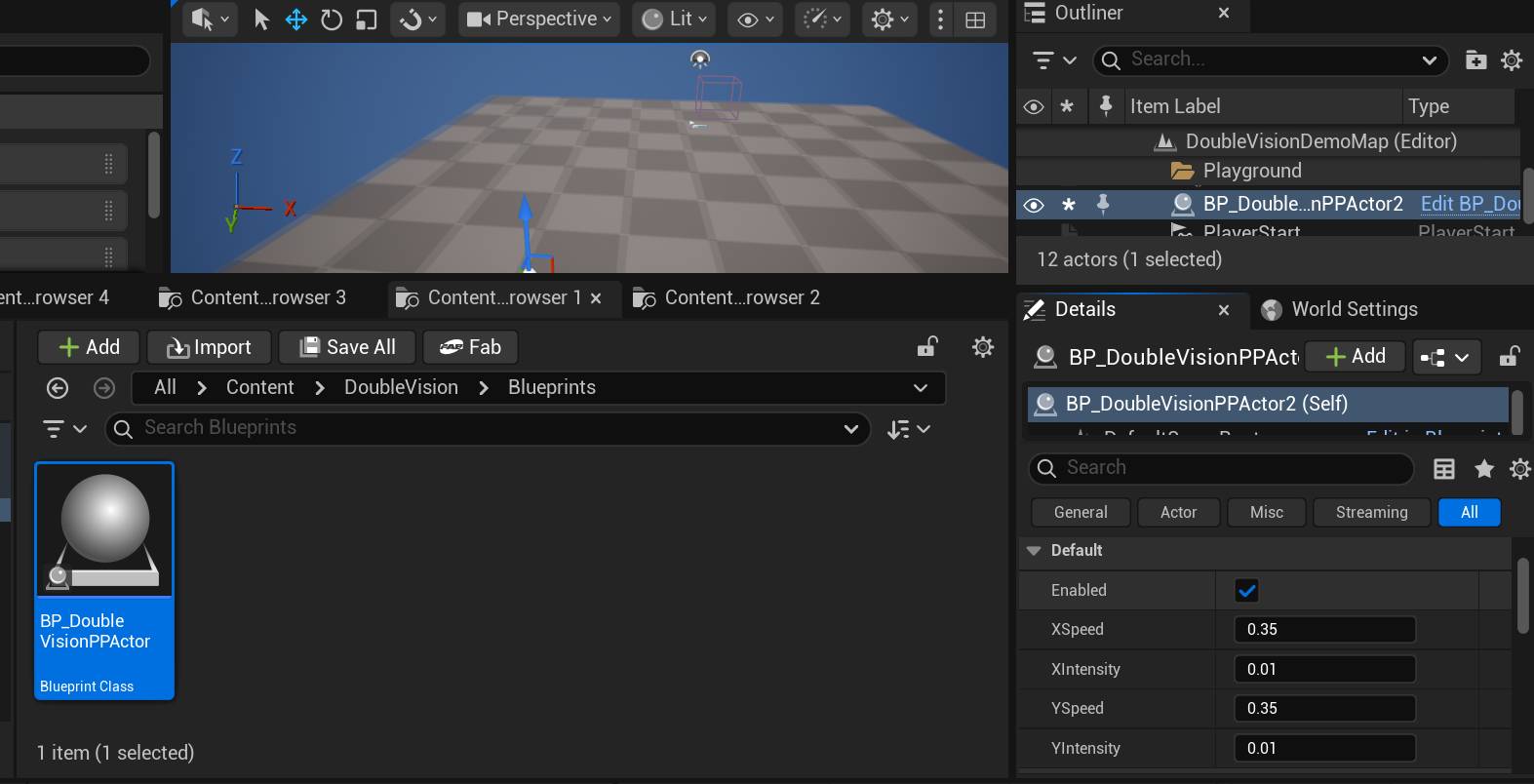
Enabled: This boolean/switch turns the effect on or off.
XSpeed: This value determines how fast the effect is applied on the X Axis
XIntensity: This value determines how intense the effect is applied on the X Axis.
Playing with these values will give you a better idea of what they do.
Driving the system at runtime
The Double vision Actor has events you can call from the level or blueprints to control when the system is activated and how intense it is.
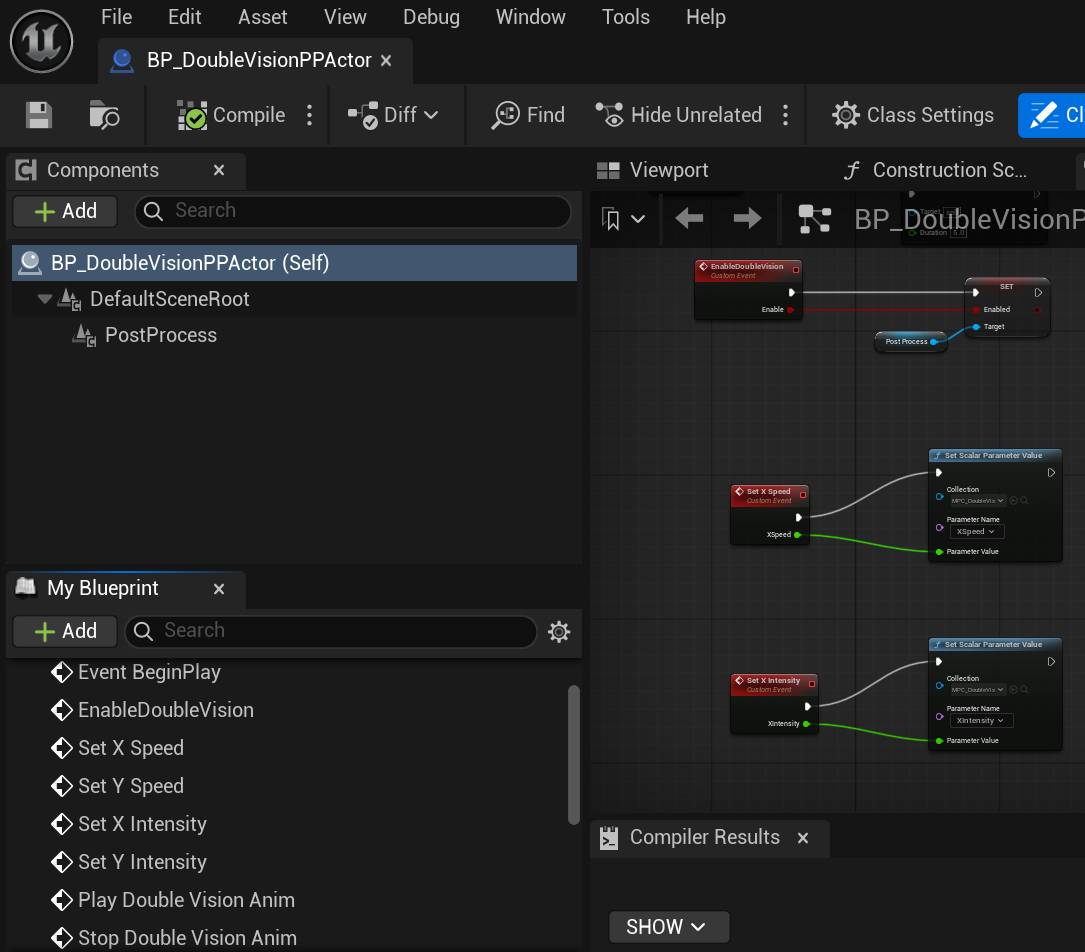
EnableDoubleVision: Call this from anywhere to turn the effect on or off.
Set X Speed: Call this to change the XSpeed value at runtime
Set X Intensity: Call this to change the XIntensity value at runtime
Play Double Vision Anim: Call this to temporarily Turn on the effect and turn it off automatically based on the duration you pass in.
Double Vision For UMG Widgets
Typically Post process does not apply to widgets… But the system has a way to apply the same effect to widgets. Open the following Widget blueprint to see how to do so:
DoubleVision/Widgets/WBP_DoubleVisionWidgetExample
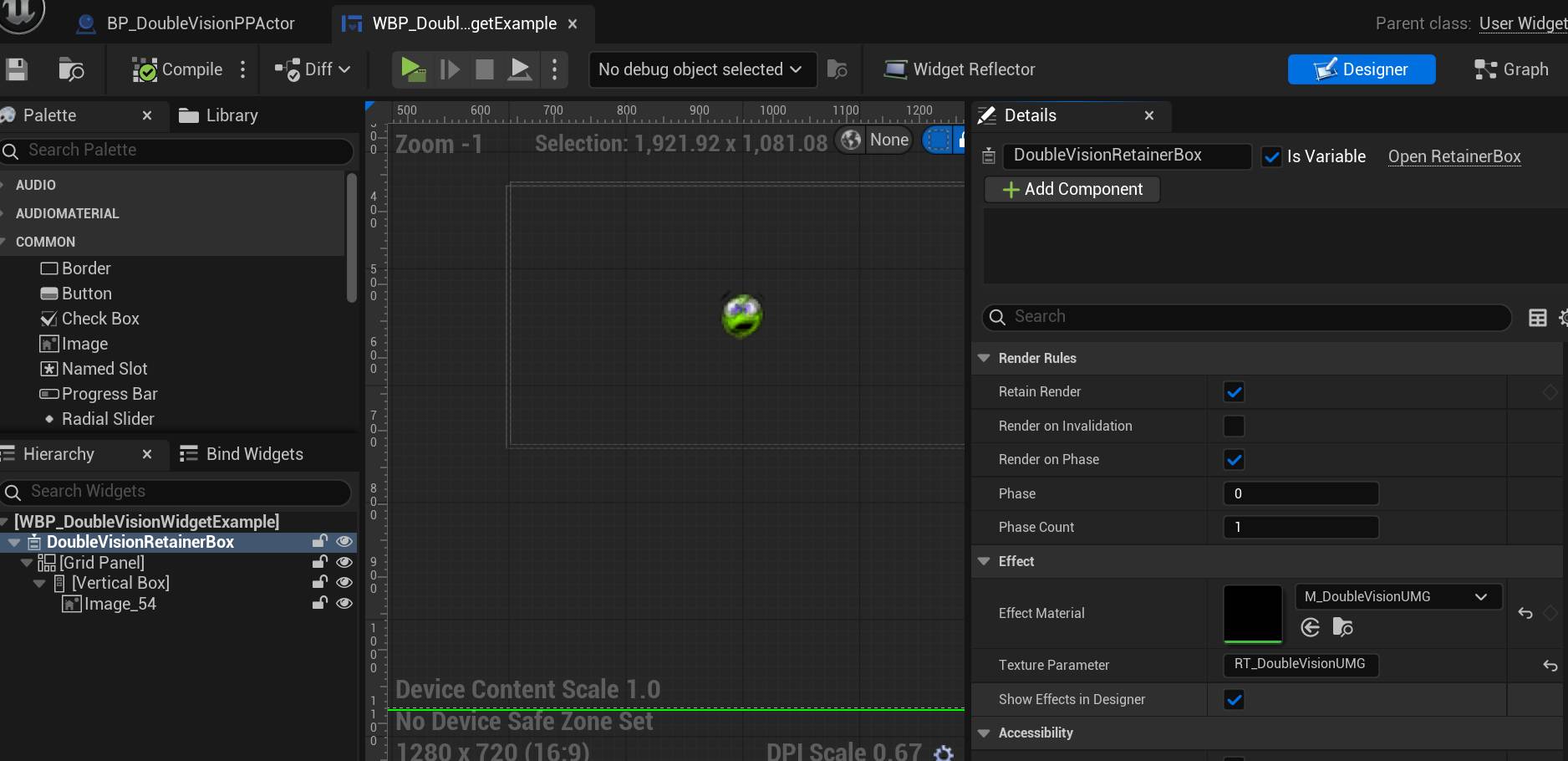
In short , if you have a widget, wrap it in retainer box and set up the retainer rules and effect like the image above.
The effect material must be DoubleVision/Materials/M_DoubleVisionUMG
The Texture Parameter should be RT_DoubleVisionUMG